Customisations in MAS 9: Java classes, automation scripts and what to do with them
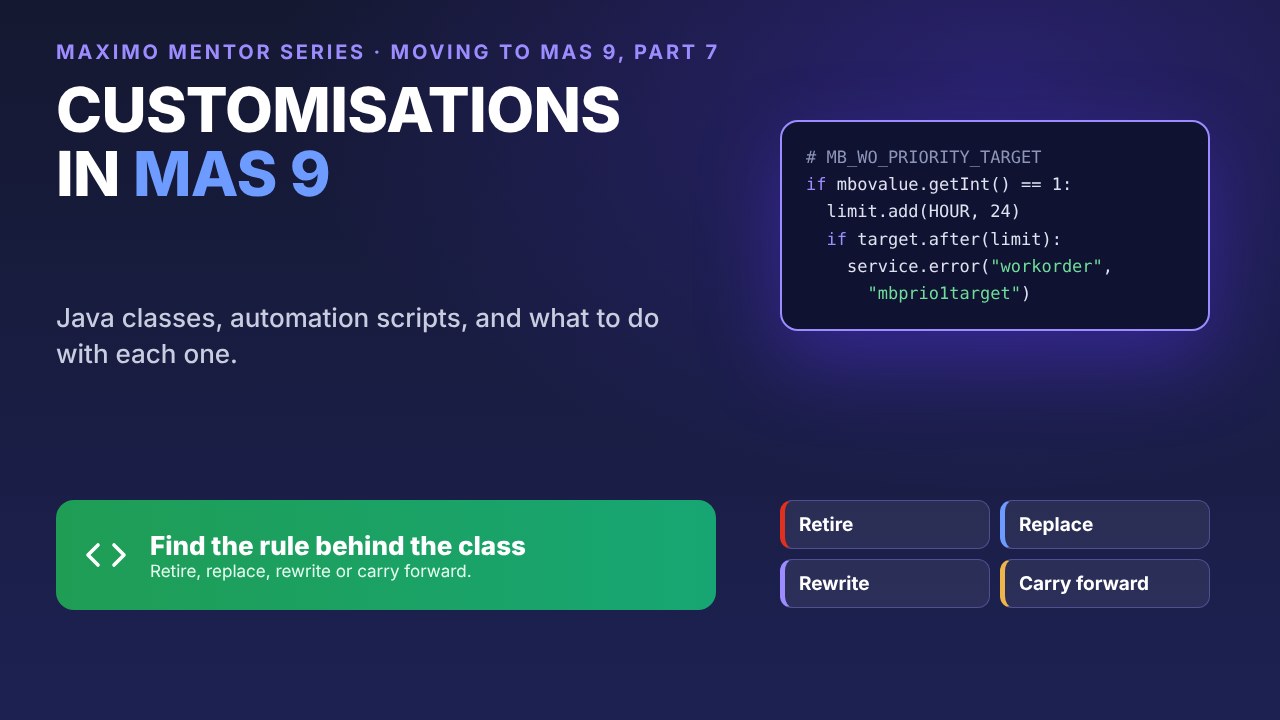
The most expensive line of custom code is the one nobody can explain. Meadowbank Water has 12 of them.
In part 3, one query found 42 custom Java classes in Meadowbank’s 7.6 system. Only 18 are still used, and nobody in the team can say what 12 of those do. This part is for the developers who have to decide what happens to them, and the technical leads who sign that off.
The custom Java I find most often on 7.6 sites is a field or object class written years ago to enforce one business rule, by someone who has long since moved on. The rule usually still matters. The Java usually doesn’t: most of the time it becomes an automation script, or something Maximo now does on its own.
So every class gets one of four decisions: retire it, replace it with configuration, rewrite it as an automation script, or carry it forward in a customisation archive. We’ll see why MAS 9 changes the sums, sort Meadowbank’s 18, and follow one rule from Java to script.
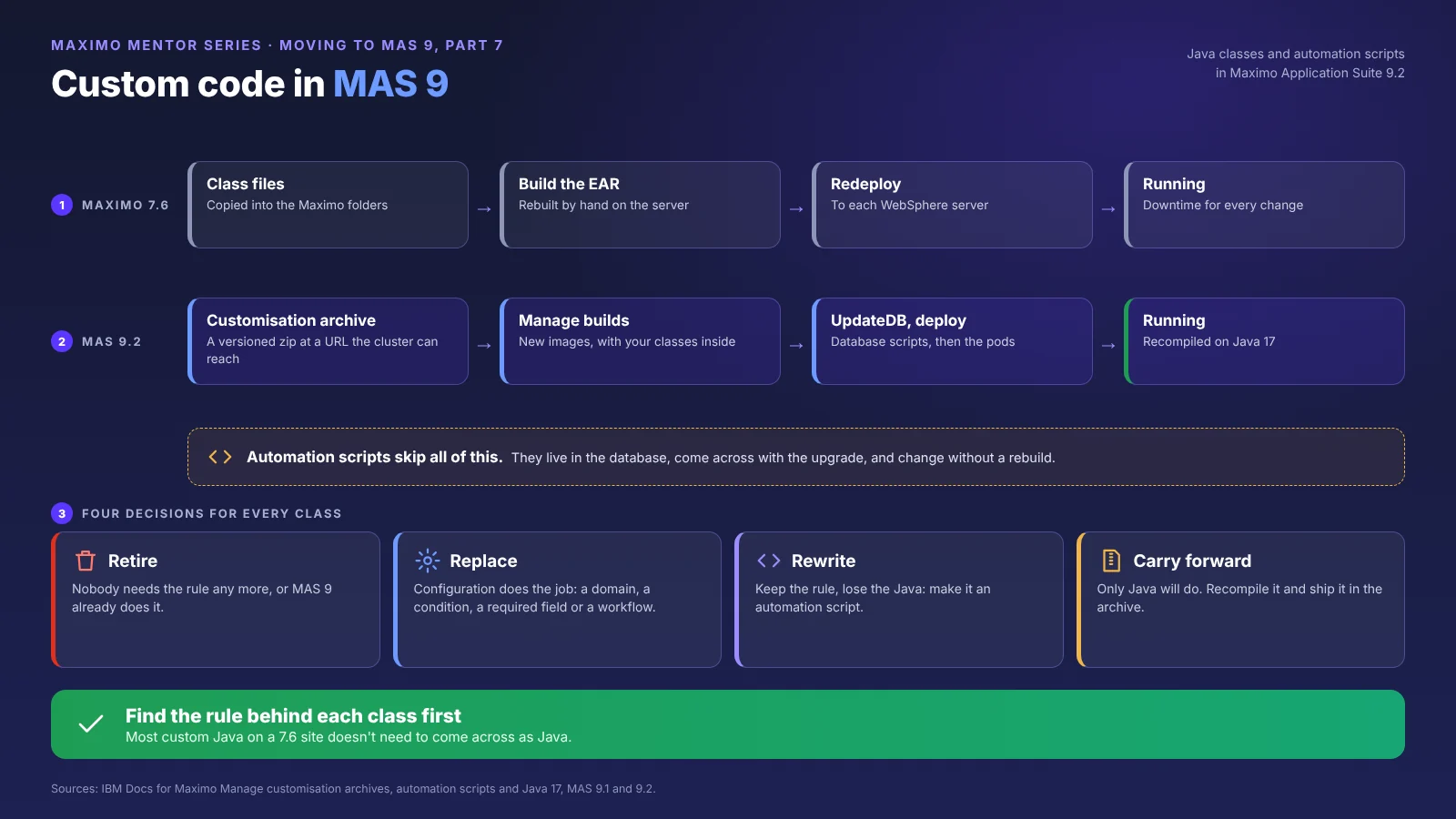
1. What changes for custom code in MAS 9
In 7.6, a custom Java class was a file on a server. You compiled it, put it in the SMP folder, rebuilt the EAR file and redeployed it to WebSphere. A change meant an outage window, but the whole loop was in your own hands.
In MAS 9, Manage runs in containers built from images, and the supported way to get custom Java into them is a customisation archive. That’s a zip file laid out like the Maximo folder structure, holding your classes, an a_customer.xml file that lists your extended classes and the database scripts to run, any database scripts, and any extra server files. It sits at a web address the OpenShift cluster can reach.
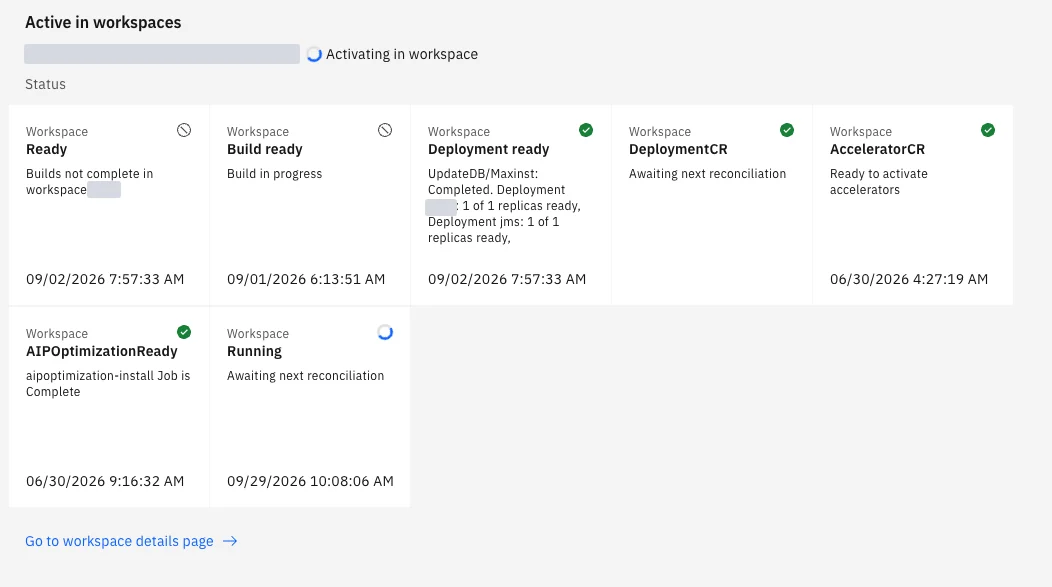
When the archive changes, Manage builds new images with your code in them, runs the database update, and redeploys. The workspace status in the suite shows each stage as it happens:
Two more things changed underneath:
- Java 17. From the March 2025 release of 9.1, Manage runs on Java 17. IBM recommends recompiling your classes with Java 17, and warns that some existing JAR files are affected by module and compatibility changes. Code compiled for 7.6’s Java 8 might still run, but “might” isn’t a go-live plan.
- Scripts move faster than Java. Save an automation script and Maximo refreshes it on every server in the cluster. Change a Java class and you’re waiting for a build and a redeploy.
None of this makes Java wrong. It makes every class cost more to keep, which is why each one deserves a decision rather than a copy.
2. Four decisions for every class
Work through the list one class at a time. Start with the cheapest decision and only move down the table when it doesn’t fit.
| Decision | Choose it when | Watch out for |
|---|---|---|
| Retire | The rule no longer matters, the data it touched is gone, or nobody would notice it missing | Classes nobody can explain. Find out what they do before you retire them, not after |
| Replace with configuration | Maximo now does it on its own: a domain, a conditional UI rule, a default value, a workflow, a role-based app feature | Configuration that only gets close. Check the edge cases the Java handled |
| Rewrite as an automation script | The rule is still needed and fits a launch point: a field validation, a default, a save check, a simple integration step | Heavy logic that runs on every field change, or code that leans on Java libraries |
| Carry forward in the archive | The logic is large, performance-critical or tied to integrations, and a rewrite would be a project in itself | Recompiling on Java 17, the build and redeploy for every change, and owning the code for the life of the system |
A useful rule of thumb: if a class is under a hundred lines and does one thing, it’s almost always a script. If it’s thousands of lines and three teams depend on it, carry it forward now and plan its future later.
3. Meadowbank’s 18, triaged
Custom classes show up in Database Configuration, in the Class field of an object or attribute. IBM’s own classes start with psdi or com.ibm; anything else is yours.
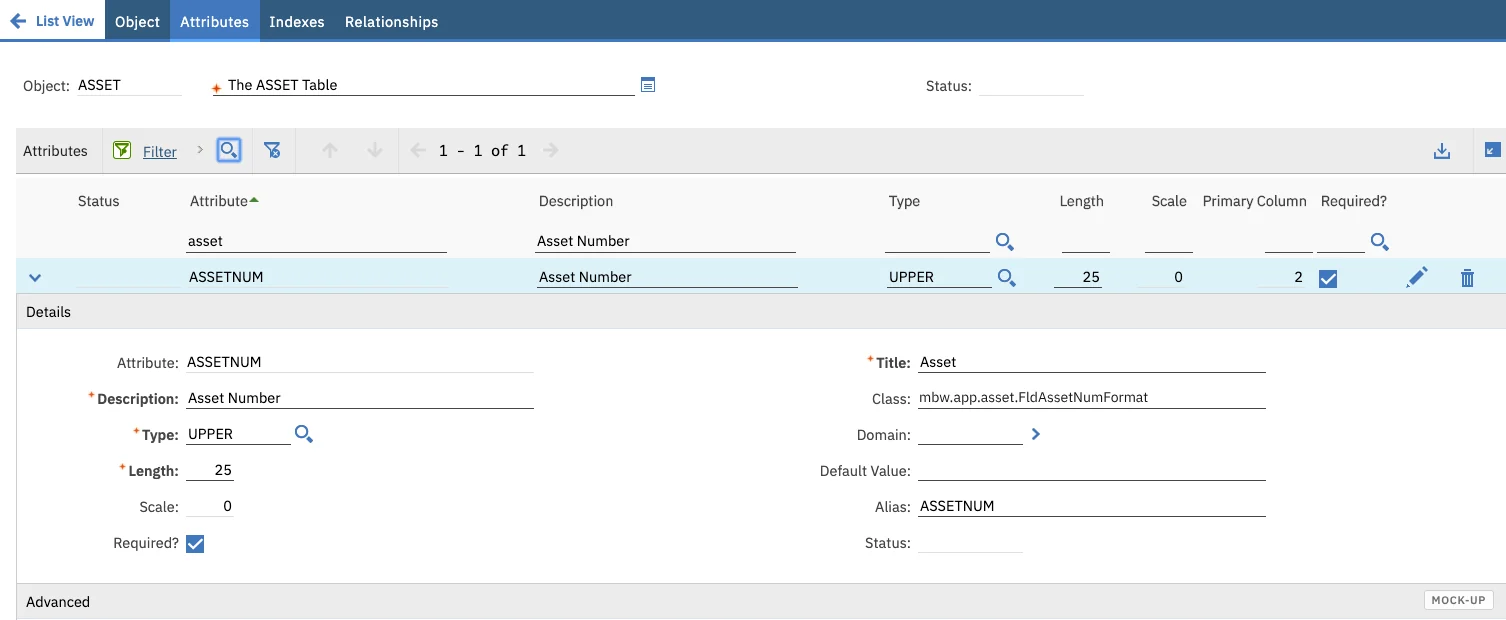
Trace the 12 first. Before anyone decides anything, Meadowbank’s team found out what the unexplained classes do. They searched the source for each class name, switched on logging for the objects involved in a test system, and asked the people who use those screens what they’d miss. Two turned out to support a finance interface everyone relies on. Three did nothing at all.
Then each of the 18 got its decision:
| Decision | Classes | Meadowbank examples |
|---|---|---|
| Retire | 5 | A cost code check for a finance system replaced in 2019; a numbering rule for a depot that closed; three classes that changed nothing when tested |
| Replace with configuration | 4 | A default work type by location (a default value and a condition); a list of allowed units (a domain); a required failure code on corrective work (a conditional rule); service request routing (workflow) |
| Rewrite as a script | 6 | Priority 1 needs a target finish within 24 hours (section 4); serial number required on rotating assets; an email to stores when a critical spare hits its reorder point; three more field and save checks |
| Carry forward | 3 | The finance interface’s processing class, and two large object classes that calculate contract rates and roll up meter readings |
The three carried forward aren’t the end of the story. Each now has an owner and a note to review it at the next upgrade.
4. Rewriting a class as a script
Here’s one of Meadowbank’s six: a priority 1 work order must have a target finish within 24 hours of being reported. In 7.6 it was a field class on WORKORDER.WOPRIORITY:
(If the attribute already has an IBM class, a custom class extends that one instead. It’s one more thing to check when IBM changes it.)
As a Python automation script, the same rule is shorter, needs no compiling, and changes without a rebuild:
Pick the right launch point. A Java field class becomes an attribute launch point; an object class usually becomes an object launch point.
- Attribute launch points run every time the field changes, so keep them light, as this one is.
- Object launch points run when a record is initialised, saved or deleted. Heavier checks and anything that reads other records belong here, at save time.
- Action and custom condition launch points cover the rest: actions run from workflow, escalations, buttons and menu items, and conditions answer for workflow and conditional UI. Integration scripts hook into publish channels, enterprise services and endpoints.
- If two scripts share the same launch point and event, Maximo doesn’t guarantee which runs first. Combine them instead.
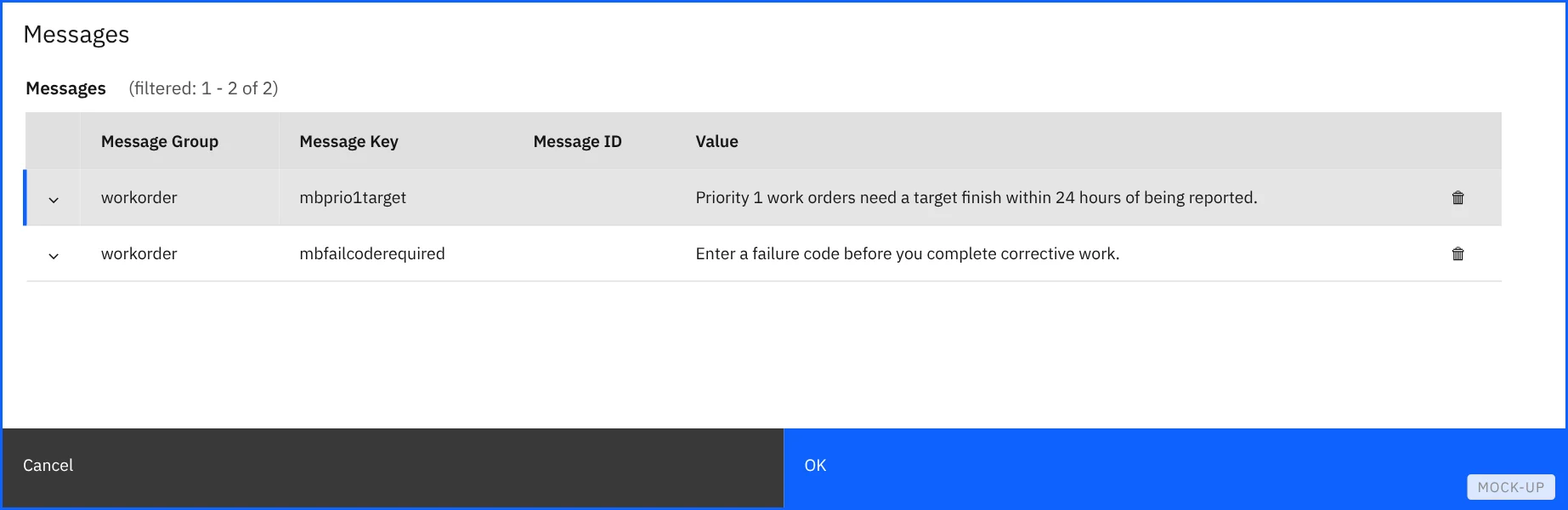
Decide how it fails. An error from a script stops whatever triggered it. On an attribute launch point the new value is refused; on an object launch point at save, the whole save is rolled back. Sometimes that’s right: this one stops the user with service.error and a message, because a priority 1 job without a realistic target is the problem. For a nice-to-have, such as a notification, log the problem and let the save go through.
Creating it takes one wizard. First the launch point:
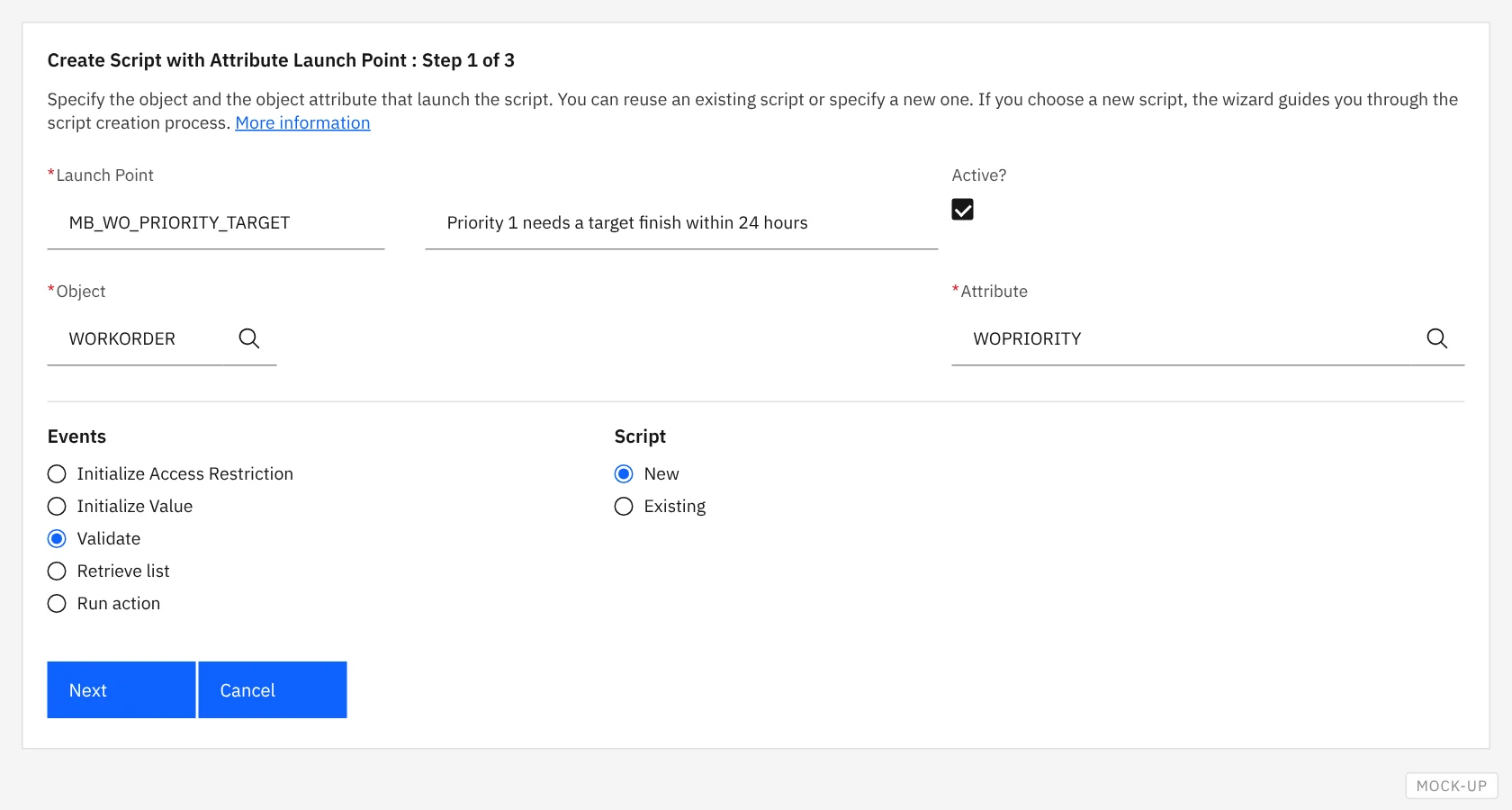
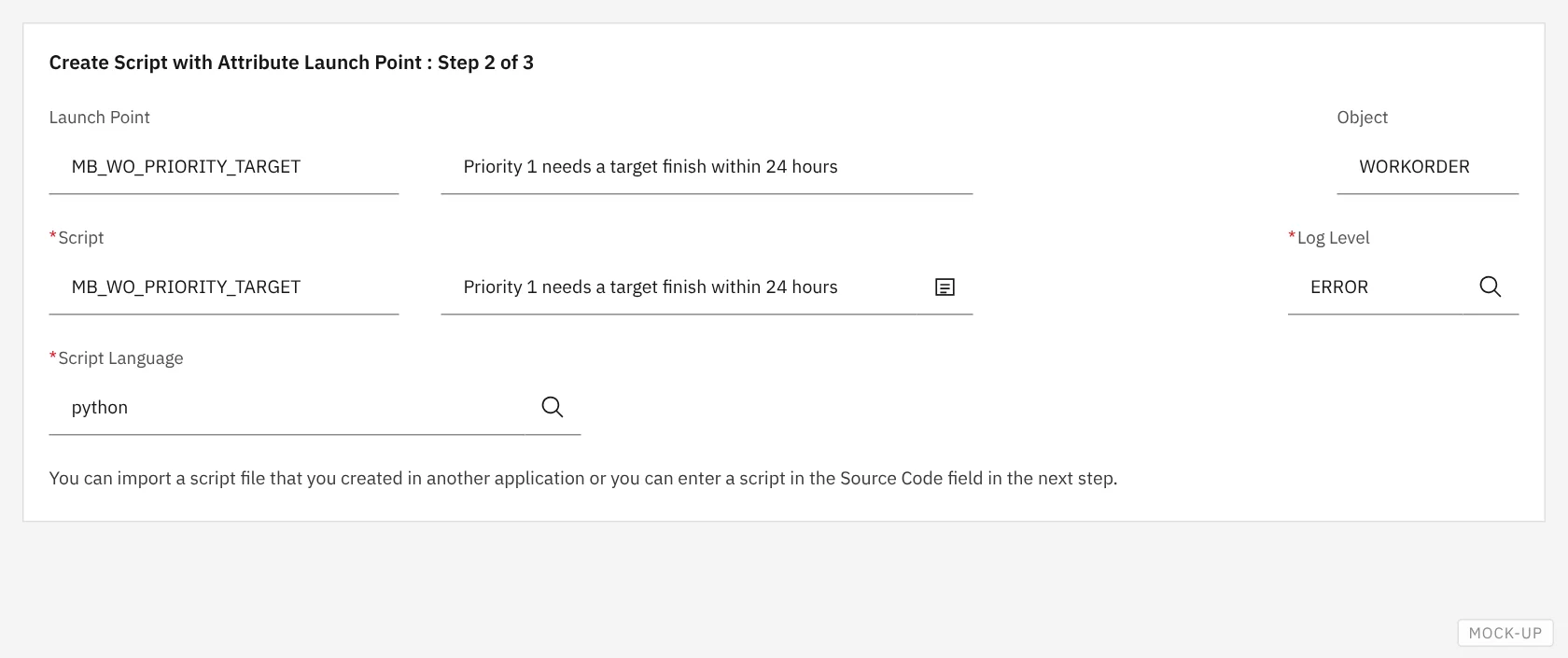
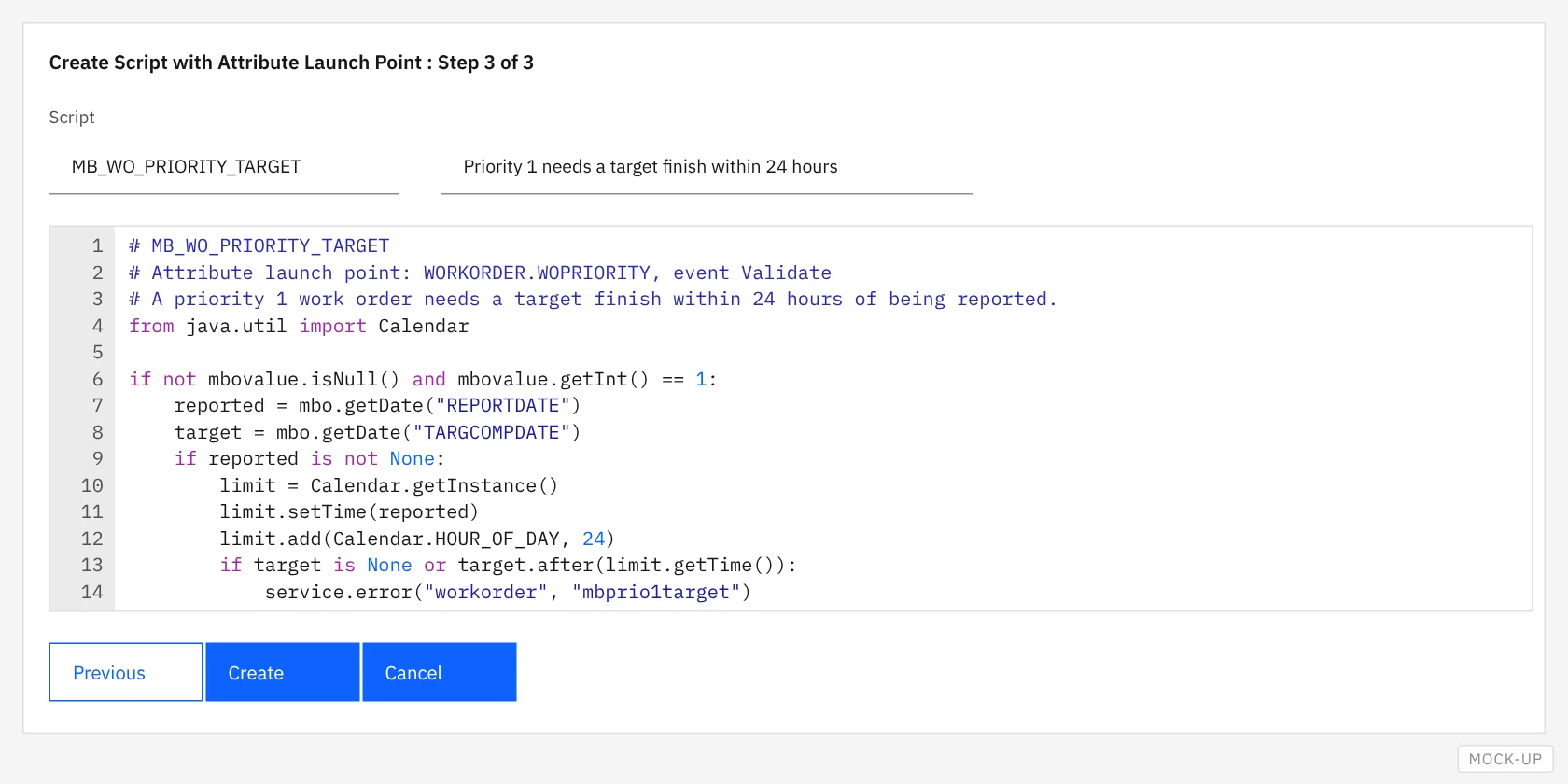
The message the script raises is set up once, in Database Configuration’s Messages dialog:
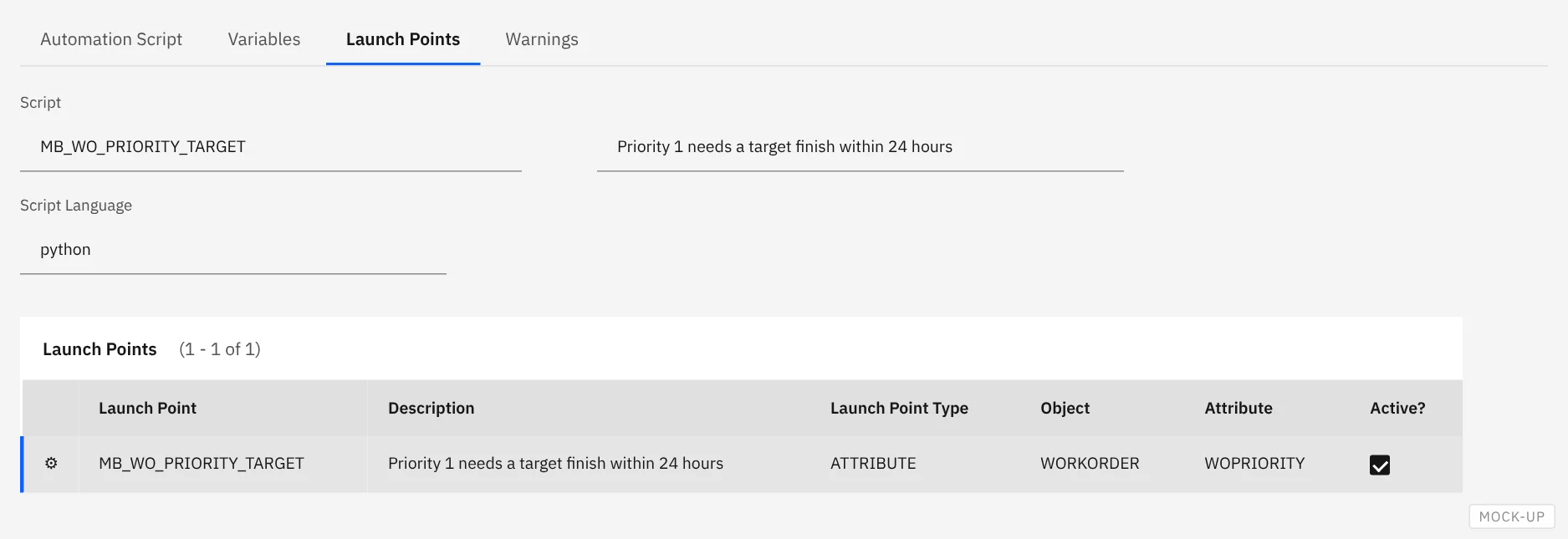
Afterwards, the script’s Launch Points tab shows what fires it:
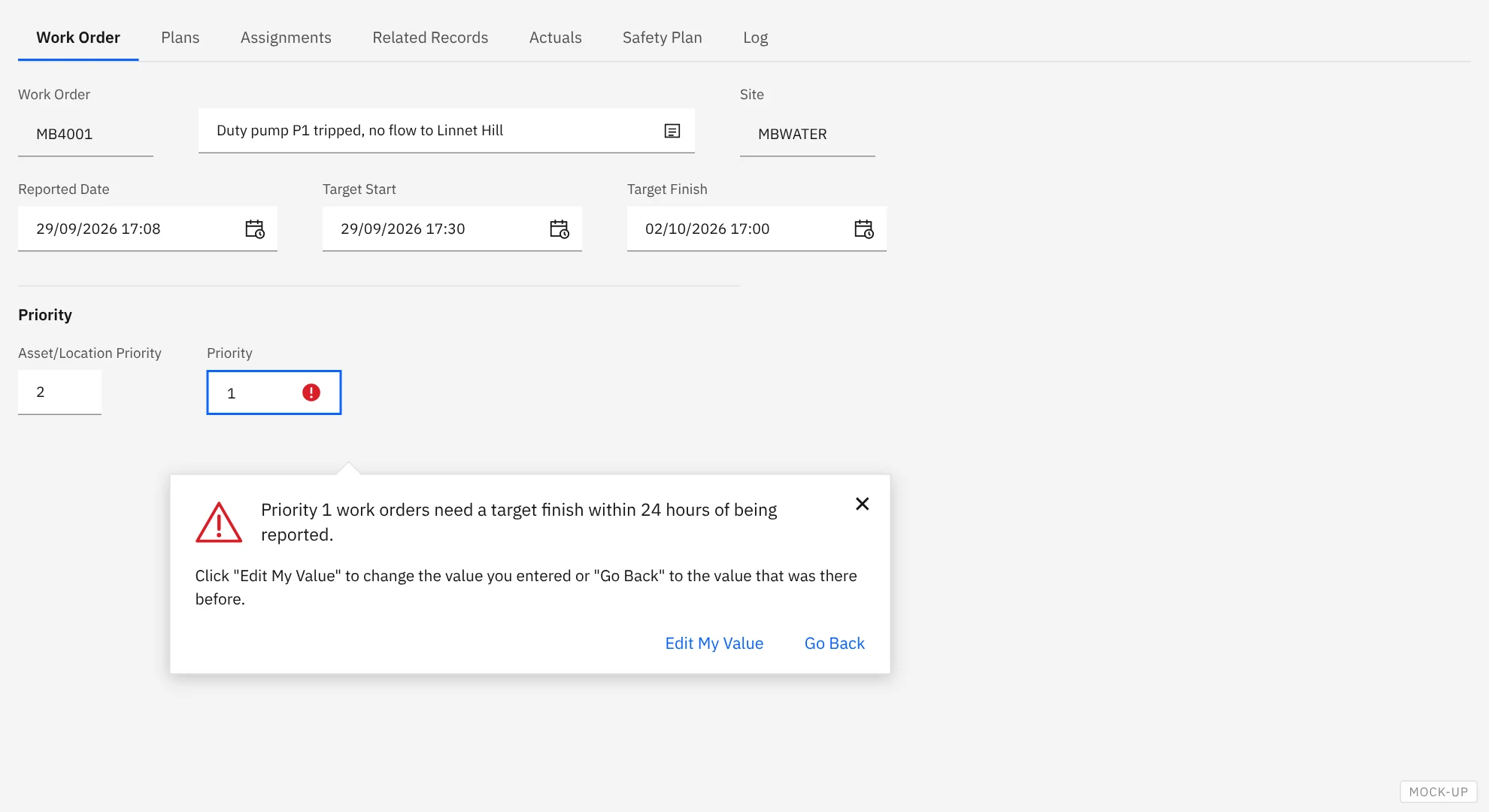
And this is what a planner sees when they set priority 1 on a job with a target three days out:
One more habit worth starting now: if several scripts need the same logic, such as a date check or a logging pattern, keep it in a library script. That’s simply a script with no launch point, which the others run through the service variable, so a fix is made once.
5. Carrying Java forward: the customisation archive
Meadowbank’s three carry-forward classes go into a customisation archive. It’s a zip file laid out like the Maximo folder structure you know from 7.6:
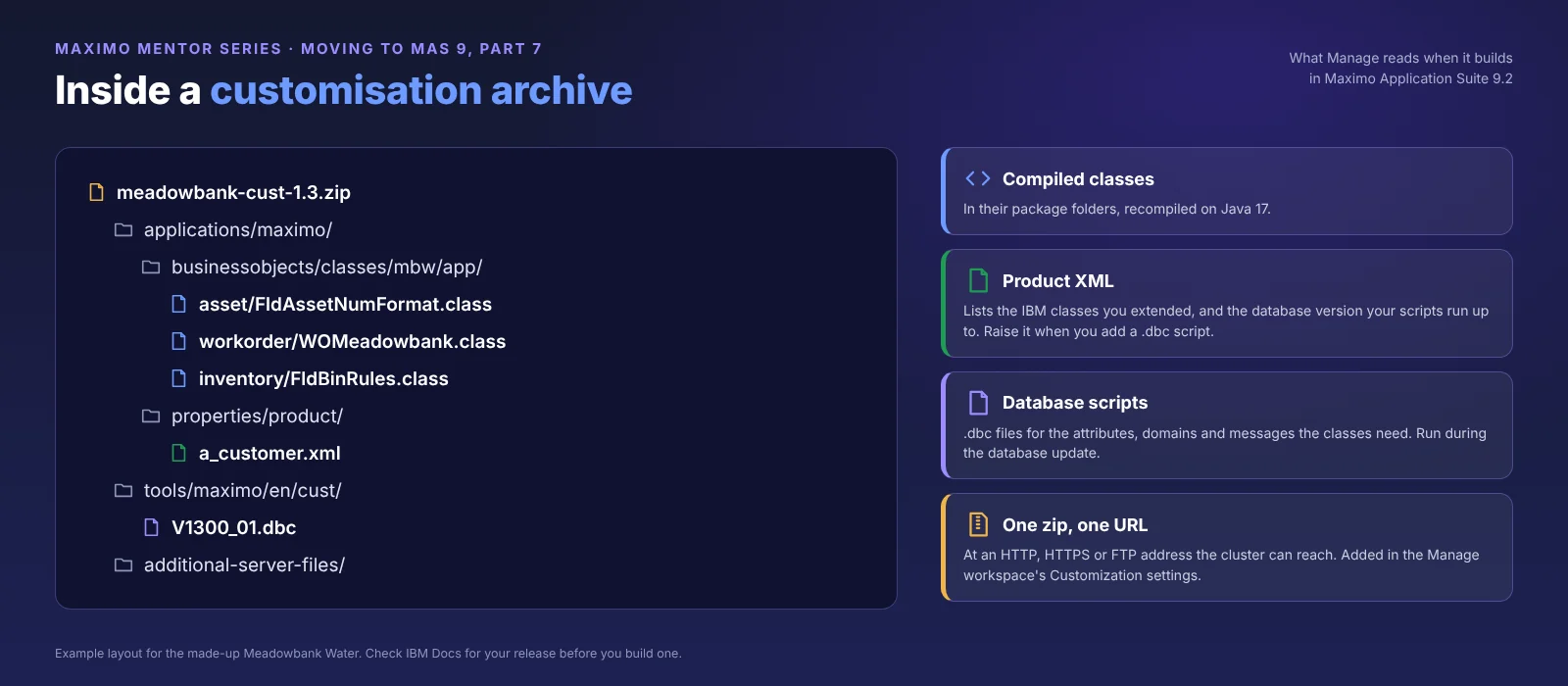
- Compiled classes sit under
applications/maximo/businessobjects/classes/in their package folders, for examplembw/app/asset/. - A product XML file,
applications/maximo/properties/product/a_customer.xml, names the customisation, lists the IBM classes you’ve extended, and gives the database version the update runs your scripts up to. Raise that version whenever you add a.dbcscript. Version the archive itself too, for example in its file name, so it’s clear which build is running. - Database configuration scripts (
.dbcfiles undertools/maximo/en/cust/) add the attributes, domains or messages the classes depend on. These run during the database update.
The archive must be at an address the cluster can reach when Manage builds, such as an internal file or artefact server. IBM supports HTTP, HTTPS and FTP addresses (SFTP isn’t supported), with an optional user ID and password. Agree with whoever runs the cluster where it lives and who can reach it.
In MAS 9.2 the archive is set on the Manage workspace, not on the application:
- In Suite administration, open Workspaces, then click the Manage tile under Applications.
- On the Manage workspace details page, choose Actions, then Update configuration.
- In the Customization row, click Edit, then Add customization archive.
- Give it an alias, the file address and, if needed, the credentials. Add more archives the same way.
- Apply changes starts the build.
Step 5 rebuilds Manage for everyone using that workspace, so pick your moment, and on a shared test system tell people first.
Once applied, Manage builds new images with your classes inside, runs the database update for any .dbc scripts, and restarts its servers. The workspace status, shown at the start of this part, tracks each stage.
Three things to know before you rely on it:
- Every change means a rebuild. Adding or fixing a class is a new archive version and a new build, which takes time. Plan for it in test cycles and cutover.
- Recompile on Java 17. From the 9.1 release onwards, Manage runs on Java 17. Classes built for 7.6 should be recompiled and retested, and any third-party JARs they rely on checked for Java 17 support.
- Test in non-production first. Build the archive into a test workspace and run through the business rules there before it goes near production.
6. The scripts you already have
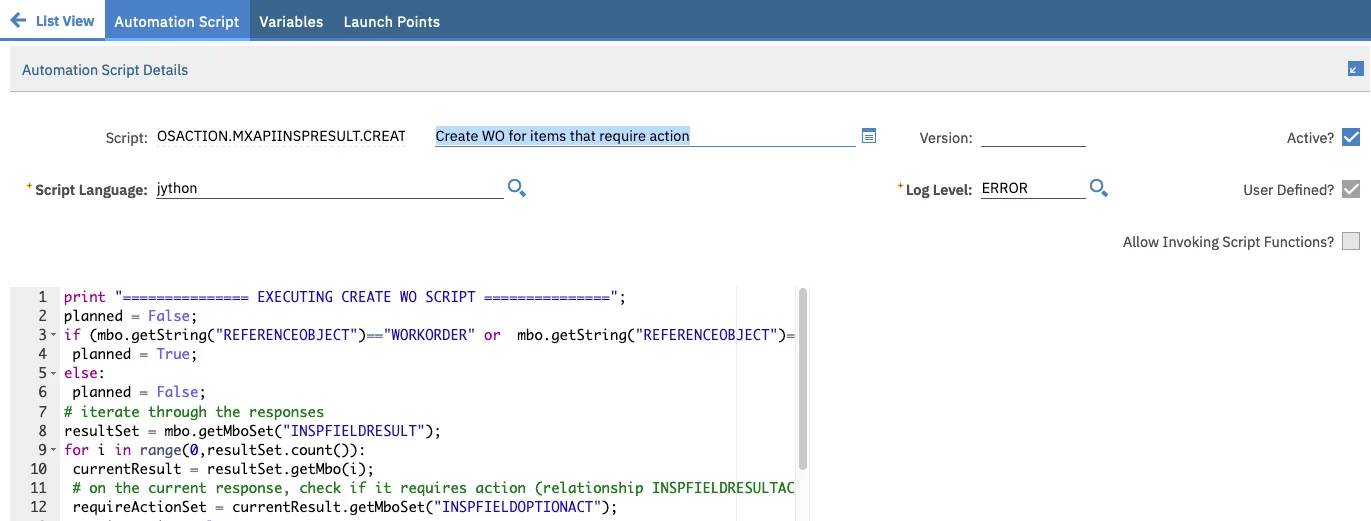
Automation scripts are stored in the database, so they come across with the upgrade. No archive, no rebuild. That doesn’t mean they’ll all behave. Meadowbank had 41, and the upgrade is a good time to look at each one.
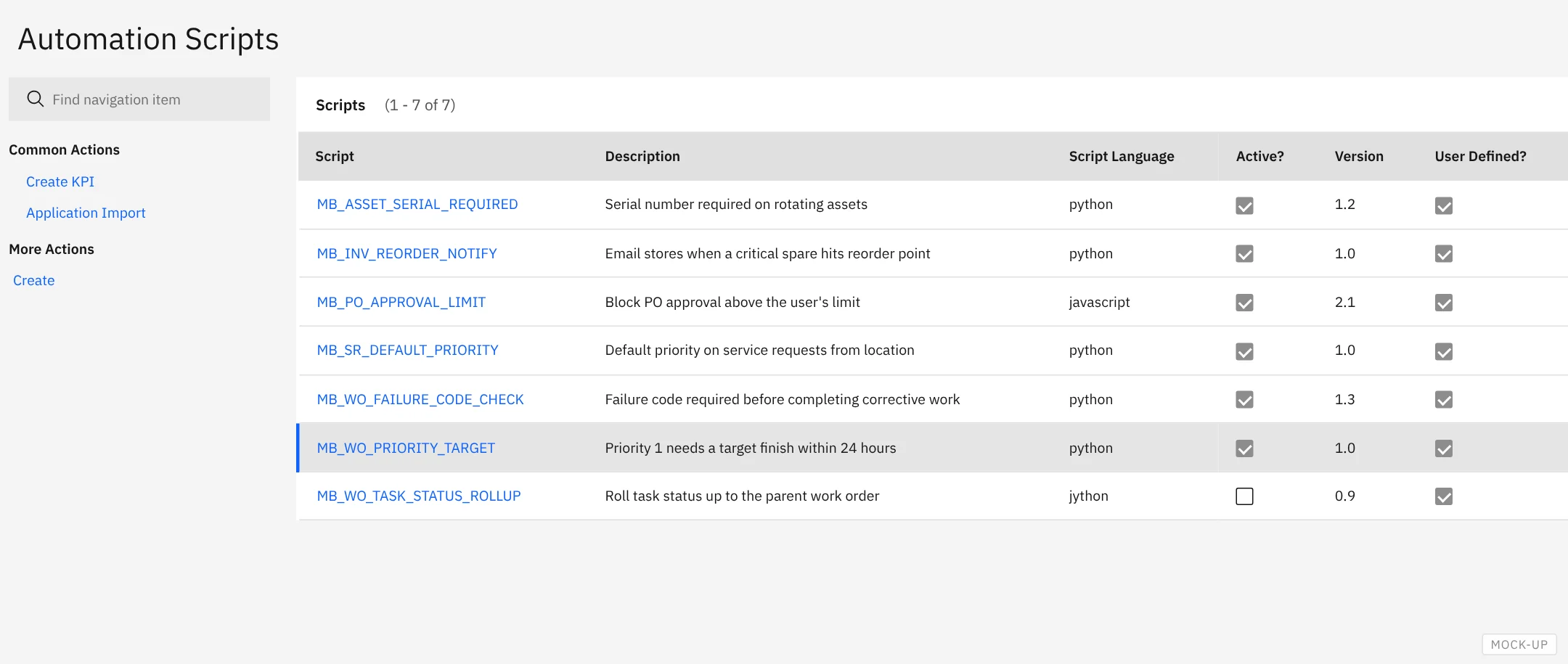
The application looks different, but it’s the same record. Here’s the 7.6 version for comparison:
Habits worth checking for:
- Close what you open. Sets related to the record the script runs on are released when the transaction ends. Sets you open with
MXServer.getMXServer().getMboSet()aren’t: close them in afinallyblock, or they pile up until the server runs out of memory. - No hard-coded sites, organisations or statuses. Read them from the record or a system property, so the script still works when a new site goes live.
- Guard against loops. A script that sets a field can fire its own launch point again. Check before you set.
- Log with care. Check
service.isLoggingEnabled()before building long log messages, so a busy script costs nothing when logging is off. - Split the long ones. A 400-line script doing five jobs is hard to test and hard to switch off. Split it, and move shared logic into a library script.
Test every way in. A script on an object launch point fires for screen saves, but also for imports, REST and OSLC calls, cron tasks and escalations. Meadowbank found two scripts that assumed a user was at a screen, which failed on a nightly import. Scripts can check the implicit interactive variable to tell the two apart. Test each channel the record arrives by.
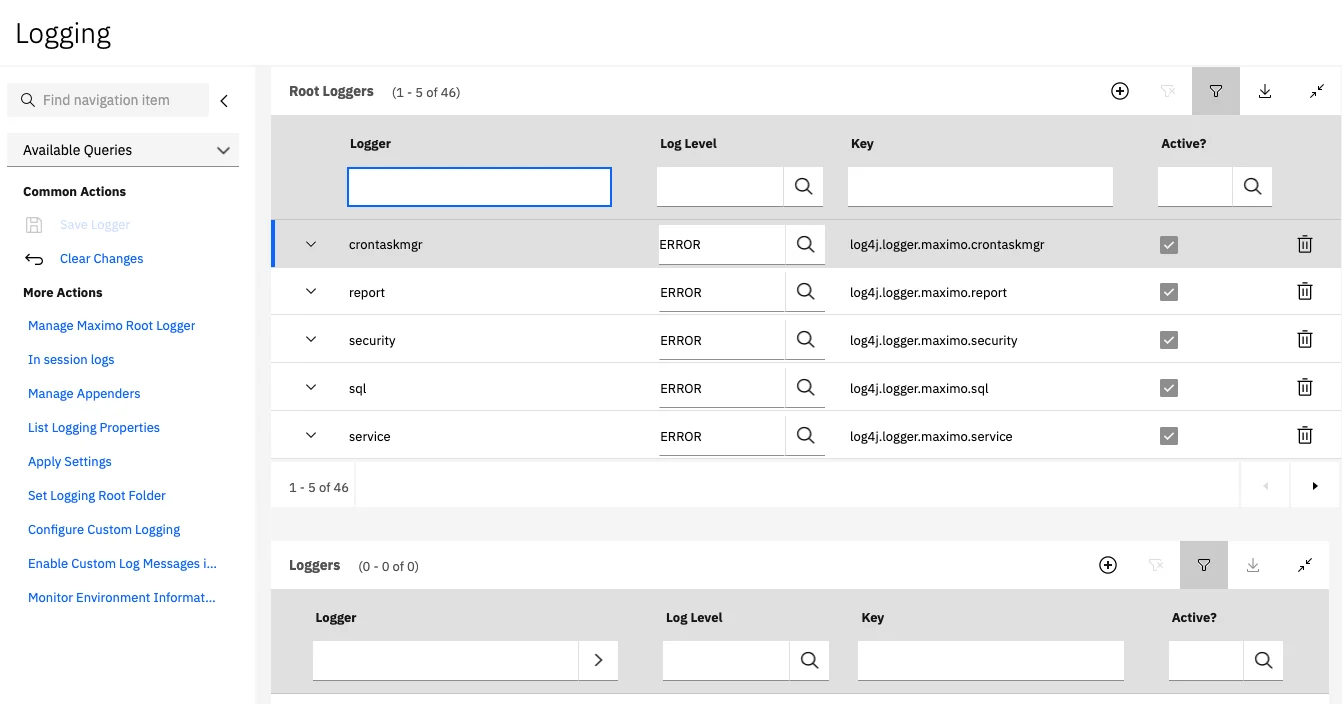
Turn logging up while you test. Each script has its own log level, and the loggers themselves are set in the Logging application:
Know where the off switch is. If a script misbehaves after cutover, deactivate its launch point, from the Automation Scripts list or the script’s Launch Points tab. Changing the script’s status isn’t enough: IBM treats a Draft script the same as an Active one. For a wider problem, the system property mxe.script.deactivateall switches off every automation script at once. It supports live refresh, so it takes effect without a restart:
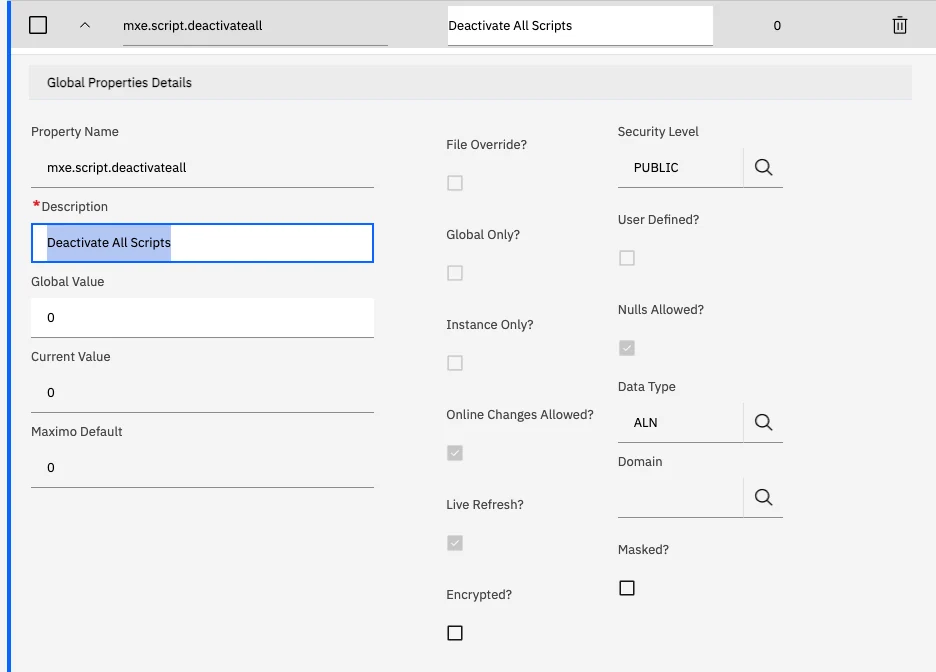
It’s an emergency tool, not a fix: everything your scripts enforce stops with it. Make sure your support team knows it’s there, and when they’re allowed to use it.
One small bonus: saving a script in MAS 9 refreshes it on every Manage server, so a fix is live everywhere as soon as it’s saved.
7. Five things to plan
- Make the inventory and trace it. List every custom class from Database Configuration and the class files on the 7.6 server, and every automation script. For each class, find the business rule behind it and someone who still owns that rule.
- Decide per class. Retire, replace, rewrite or carry forward, written down with a reason. Your carry-forward list should be short.
- Recompile on Java 17. Anything you carry forward gets recompiled and retested, along with any JARs it needs.
- Build one versioned archive, and test it in non-production first. Keep the archive’s source, and every automation script’s source, in version control, so you know what’s running and can roll back.
- Budget for rebuild time. Every archive change means a Manage rebuild. Build that into your test cycles and cutover plan, and keep late Java changes to a minimum.
If you remember one thing
Most custom Java on a 7.6 site doesn’t need to come across as Java. Find the rule behind each class, and you’ll usually find a simpler way to keep it.
Which customisation did you find hardest to let go of, and did you?
Join the discussion ↓No need to name your organisation. Tell us what you’ve seen, not who you saw it at.
What’s next
Part 8 covers integrations: what changes for the Maximo Integration Framework, REST and API keys when you move to MAS 9. You can see all the parts of the series, and what’s coming, on the series page.
Further reading: IBM’s customization archive guidelines and scripting best practices, and Maximo Insider’s guide to automation script launch points.
I’m also building short, role-based Maximo Mentor lessons for the people who use Maximo every day.
4max builds automation scripting and Maximo development training around your own system, so your developers practise on the rules they’ll actually rewrite.
General guidance only: check each point against your own licence, release and environment.
Comments